The Free ATS-Friendly Resume Template for 2026
A real, copy-paste template with no email wall, plus the handful of things that actually decide whether a human ever reads your resume.
An ATS-friendly resume template is a plain, single-column document a machine can read top to bottom without scrambling it. Use standard section headings like Experience, Education, and Skills, a common font, simple bullets, and no tables, columns, graphics, or text in headers and footers. Save it as a text-based PDF or Word file, and mirror the job posting's exact words.
First, the stake
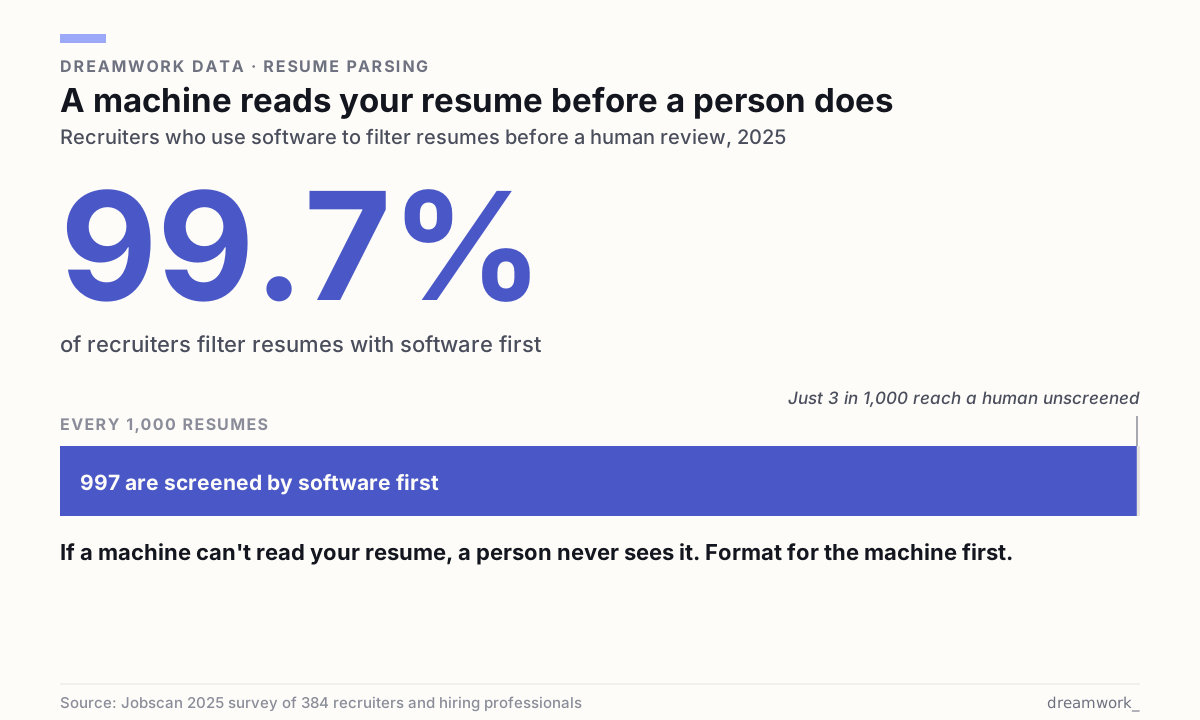
A machine reads your resume before a person does. That is the plain reality of applying for a job in 2026. Software collects your application, parses it into fields, and ranks it against the posting. If it cannot read your file cleanly, you are not filtered out for being unqualified. You are filtered out for being unreadable. That is the cruelest way to lose a job you could have done.
Most pages that promise an ats-friendly resume template hide the actual template behind an email wall, then pad the page with fear. We are doing the opposite. Below is a real, plain-text template you can copy in ten seconds. Then we explain the small number of things that genuinely matter, and the myths that waste your afternoon.
The template — copy this
Here is exactly what an ATS-friendly resume looks like: reverse-chronological, one column, standard headings, plain hyphen bullets, nothing hidden in a header or a sidebar. This is a real, complete example — study the layout, then swap in your own details.

Want it as a file? Download this exact template as a PDF, open it in Word or Google Docs, and type over the placeholder text. Below is the same layout broken down line by line, so you know why each piece is shaped the way it is.
- Name line — your full name on its own line, largest text on the page: `JORDAN RIVERA`
- Contact line — one line, separated by a middle dot or a pipe: `City, ST · [email protected] · (555) 555-1234 · linkedin.com/in/jordanrivera`
- SUMMARY — heading on its own line, then two or three sentences naming your role and strongest results: `Operations manager with 6 years cutting fulfillment costs and lead times.`
- SKILLS — heading, then a simple comma-separated list that mirrors the posting's language: `SQL, Excel, forecasting, vendor negotiation, process improvement, Tableau`
- EXPERIENCE — heading, then each job as: title line `Operations Manager — Acme Logistics, Austin, TX`, then a dates line `Mar 2021 – Present`, then bullets starting with a plain hyphen and a verb: `- Cut average delivery time 22% by rebuilding the routing process`
- EDUCATION — heading, then: `B.S. Supply Chain Management — State University, Austin, TX · May 2019`
- CERTIFICATIONS / PROJECTS — optional, same simple pattern: one line per item, spelled out plus any acronym
Why plain beats pretty
An applicant tracking system does one unglamorous job: it reads your document and drops each piece into a database field. Name here, employer there, dates in their own slot. Everything that helps a human eye — a two-column layout, a sidebar, an icon, a skills bar graphic — gets in the way of that machine. When the layout is complex, the reader can pull text out of order, merge two jobs into one, or skip a block entirely.
Jobscan's formatting guidance is blunt about the failure modes: multi-column designs get read out of order and mixed "like a deck of cards," and content placed in a document's header or footer layer is often ignored entirely. Custom fonts can come back as null characters. None of this is about beauty. It is about whether the text survives the trip into a field.
| Do | Don't |
|---|---|
| Single column, top to bottom | Two columns, sidebars, or tables |
| Standard font (Arial, Calibri, Georgia, Times New Roman) | Decorative or custom fonts |
| Contact info in the body of the page | Contact info in the Word header or footer |
| Plain hyphen or round bullets | Arrows, emoji, or custom symbols |
| Standard headings: Experience, Education, Skills | Creative headings like “My Journey” or “What I Bring” |
| Dates as “Mar 2021 – Present” | Graphics, logos, photos, or skill bars |
Make any resume machine-readable in ten minutes
You do not need to start over. You need to strip your current resume down until a plain reader can follow it. If you want more step-by-step walkthroughs like this, our how-to library covers the adjacent moves — tailoring, keywords, and formatting fixes — in the same plain style.
- Collapse any two-column or sidebar layout into a single column that reads straight down.
- Delete tables, text boxes, images, logos, and skill-bar graphics; convert their content to plain lines of text.
- Move your name, phone, and email out of the document header or footer and into the normal body at the top.
- Rename creative section titles to the standard ones: Experience, Education, Skills, Certifications.
- Swap fancy bullets and arrows for a plain hyphen or a simple round dot.
- Spell out acronyms at least once, next to the full term, so both forms are searchable.
- Save a fresh copy as a text-based PDF or a .docx, and give the file a clean name like FirstName-LastName-Resume.
The myths that cost you time
The panic industry around applicant tracking systems sells fixes for problems that do not exist. Here is what to stop worrying about.
- The magic “ATS score.” No single universal score decides your fate, and chasing 100% by stuffing keywords backfires. Jobscan itself frames a match rate near 75% as a healthy target, not a pass-fail gate.
- Fancy “ATS-proof” templates. The designer templates with columns, icons, and shaded panels are exactly what breaks parsing. Plain wins.
- White or hidden keywords. Typing invisible text to game the filter is an old trick that flags as manipulation and gets caught by the humans who read what the software surfaces.
- “PDFs always get rejected.” Modern systems read text-based PDFs fine. What fails is a scanned image of a resume or a design-heavy PDF; a PDF exported from a word processor is text underneath.
- “The bot rejects you.” In most workflows the software ranks and sorts. A recruiter still decides who to call. Your job is to be readable and relevant enough to land in the pile they actually open.
The one thing that actually moves the needle: the words
Formatting gets you readable. Words get you ranked. The highest-leverage move is to make your resume speak the posting's language — the same job title, the same named skills, the same tools.
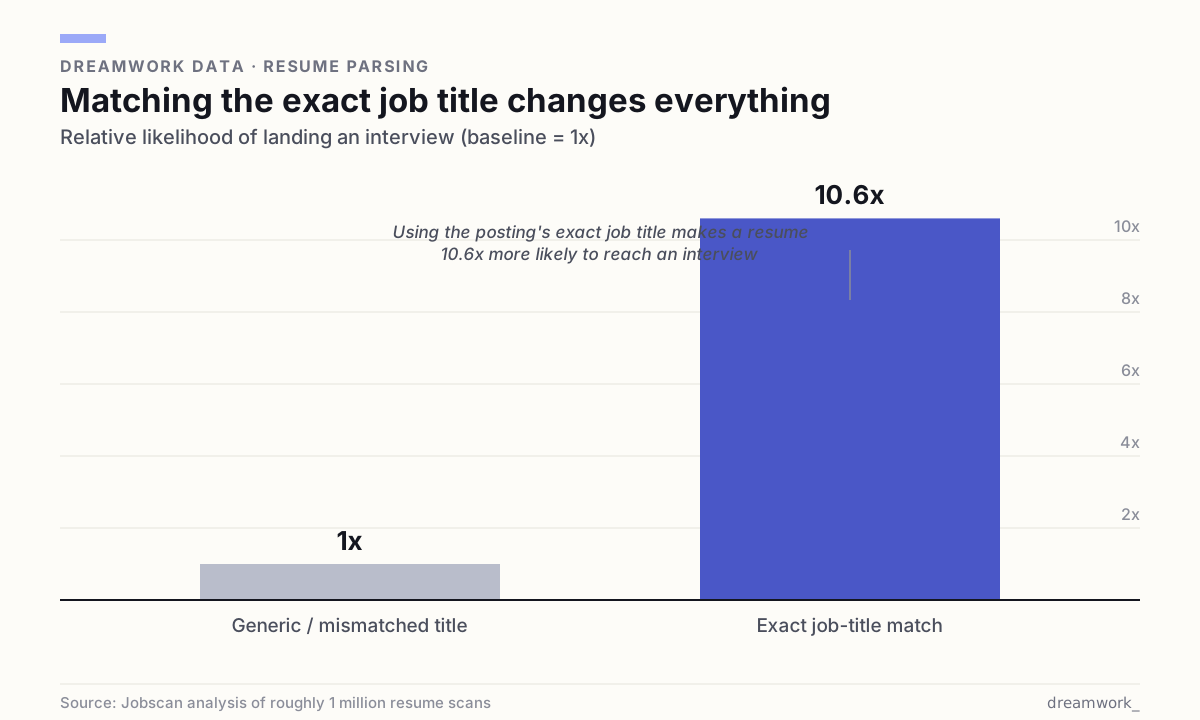
The numbers back the boring advice. Jobscan's analysis of nearly a million job searches found resumes that included the exact job title from the posting drew 10.6 times more interview invitations than those without it. Read the posting, pull the words that describe the role, and place them where they belong — in your summary, skills, and experience — without inventing anything you cannot back up in an interview.
This is also why volume alone rarely rescues a weak resume. If you are firing off applications and hearing nothing, our guide on how many applications it takes to get a job walks through the real math — and why relevance beats spraying.
PDF or Word, and other file questions
The safest bet is boring: a clean file that reads as text. Two practical rules cover most cases.
- When the posting names a format, follow it. If it asks for .docx, send .docx. Word documents parse reliably across nearly every system.
- When it does not say, a text-based PDF is a fine default — it preserves your layout and stays readable, as long as it was exported from a word processor and not scanned from paper.
- Name the file plainly — FirstName-LastName-Resume — so it does not get lost or mangled on upload.
- Keep one master, tailor per job. Start from the template above, then adjust the summary and skills to each posting's language.
Where to point this resume
A clean resume is only half the equation. The other half is aiming it at roles that actually fit, so the keywords you mirror are keywords you honestly own. You can browse open roles and see the language real postings use, then tailor the template to the ones worth your time.
Dreamwork exists to close that gap between a readable resume and the right job. Keep the template plain, keep the words honest, and spend your energy on fit rather than fighting a machine you were never meant to see.
Frequently asked questions
What is an ATS-friendly resume template?
It is a plain, single-column resume laid out so software can read it top to bottom without scrambling the text. It uses standard headings (Experience, Education, Skills), a common font, simple bullets, and no tables, columns, graphics, or text hidden in headers and footers.
Is PDF or Word better for an ATS?
Both work if the file is text-based. Word (.docx) parses reliably everywhere, so send it when a posting asks for it. Otherwise a PDF exported from a word processor is a fine default. The only real failure is a scanned image or a heavily designed file where the text is not selectable.
Do I need a high “ATS score” to get an interview?
No single universal score decides your fate. Third-party checkers like Jobscan suggest aiming for roughly a 75% match with the posting, but that is a guide, not a gate. Chasing 100% by stuffing keywords reads as manipulation to the human who ultimately decides.
What sections should an ATS resume include, and in what order?
Name and contact line, a short summary, a skills list, experience in reverse-chronological order, then education. Certifications or projects are optional at the end. Many 2025 career guides recommend placing skills high, right after the summary, because recruiters often search by skill first.
Will a fancy designer template hurt me?
Often yes. Columns, sidebars, icons, photos, and skill-bar graphics are the exact elements that break parsing and get read out of order. A plain layout is not less professional — it is the version a machine can actually pass to a person.